Vuqira Features
Vuqira Rostering brings availability, rostering, shift swaps, timesheets and invoicing into one simple platform. HR teams can instantly see who is available, send reminders, build and publish rosters, and use AI to fill open shifts. Staff can request shift swaps and clock in and out against schedule
By Abishai Bajaj · 16 November 2026
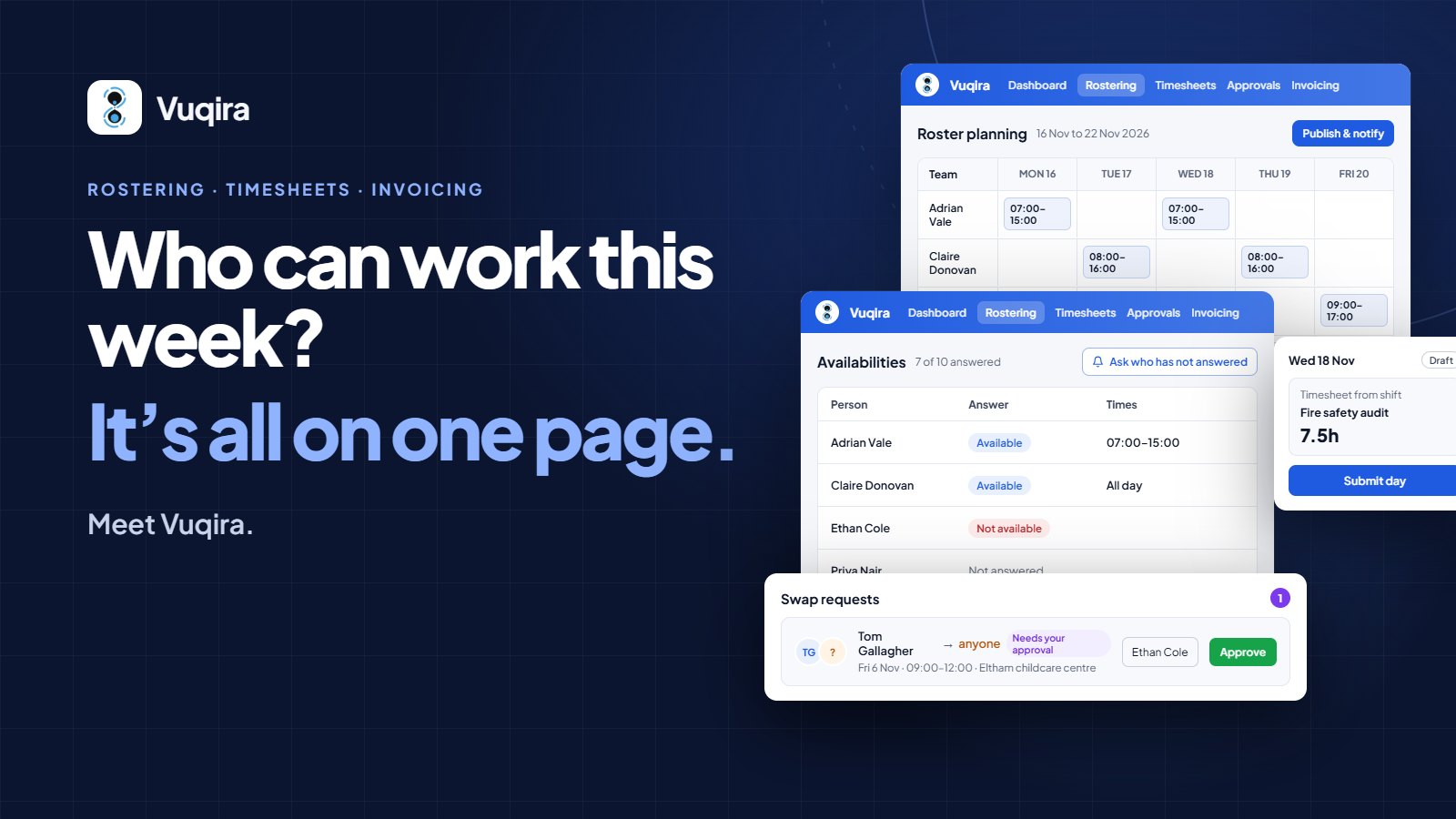
Who can work this week? It's all on one page. Meet Vuqira: rostering, timesheets and invoicing
With Vuqira Rostering, HR admins no longer ask every staff member for their availability one by one and piece the answers together. When the roster changes, there's no need to go round everyone again to find who can cover a shift. It all happens on one page. Vuqira puts all of it in one place: you see who can work, build the roster, publish it, handle swaps and approve the hours, without switching tools. Here is what each part of Rostering does.
See everyone's availability at a glance
The Availabilities tab shows everyone's answers for the week in one table, including who hasn't replied yet. You know who you can roster before you place a single shift.
Remind people who haven't answered Click Ask who has not answered, and Vuqira reminds everyone who hasn't replied yet. No more chasing.
Ask for availability, from everyone or just a few
Plans changed? Click Ask for availability and ask everyone, or just the people you choose. Vuqira also asks everyone automatically at the end of each pay period.
Build, check and publish the roster Drag people onto days to add shifts. Plan with AI suggests who can fill open shifts, and Vuqira flags any clashes before anyone sees the roster. When it looks right, click Publish & notify. Everyone gets one message with all their new shifts.
Shift swaps without the back-and-forth Can't make a shift? Staff ask for cover from anyone, or from a specific colleague. You pick who covers it, click Approve, and the roster updates. No phone calls, no group chats.
From shift to timesheet, automatically Staff clock on and off against their shift. When they clock off, Vuqira saves a draft timesheet of the hours they worked, ready to check and submit. No typing hours twice.
Questions? Email support@vuqira.com